Server Timing plugin
This plugin adds support for auditing performance bottlenecks with the Server Timing API
Install with:
bun add @elysia/server-timing@nextThen use it:
import { Elysia } from 'elysia'import { serverTiming } from '@elysia/server-timing'
new Elysia()    .use(serverTiming())    .get('/', () => 'hello')    .listen(3000)
Server Timing will then append the ‘Server-Timing’ header with log duration, function name, and detail for each life-cycle function.
To inspect, open browser developer tools > Network > [Request made through Elysia server] > Timing.
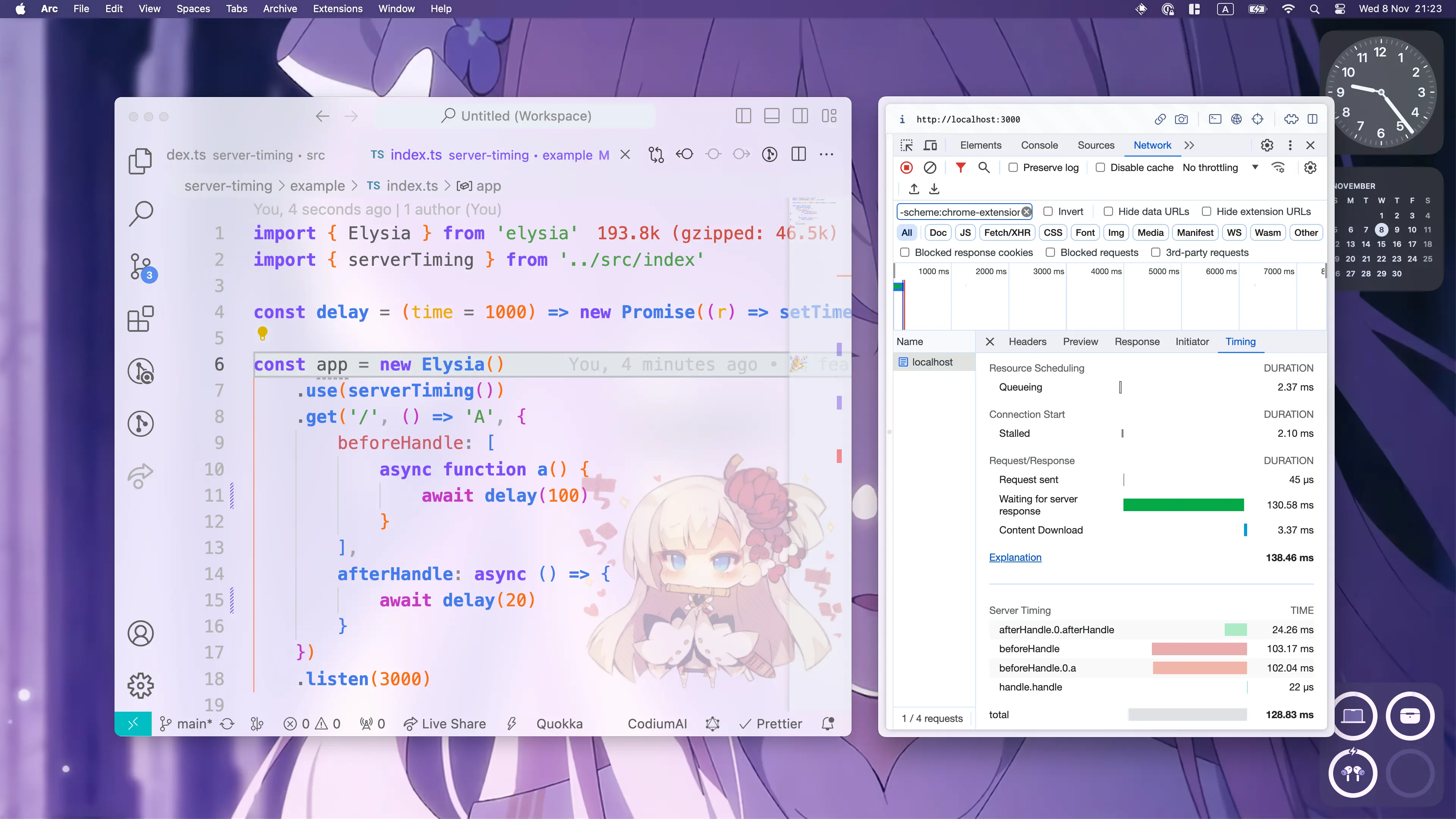
Use the timing entries to find which lifecycle stages take the most time.
Config
Section titled “Config”Below is a config which is accepted by the plugin
enabled
Section titled “enabled”Default: NODE_ENV !== 'production'
Determine whether or not Server Timing should be enabled
Default: undefined
A condition for whether server timing should be logged
Default: every event enabled
Allow Server Timing to log specified life-cycle events:
Trace accepts an object of booleans, each defaulting to true; set one to false to omit it:
- request: capture duration from request
- parse: capture duration from parse
- transform: capture duration from transform
- beforeHandle: capture duration from beforeHandle
- handle: capture duration from the handle
- afterHandle: capture duration from afterHandle
- error: capture duration from error
- mapResponse: capture duration from mapResponse
- total: capture total duration from start to finish
Pattern
Section titled “Pattern”Below you can find the common patterns to use the plugin.
Allow condition
Section titled “Allow condition”You may disable Server Timing on specific routes via the allow property
import { Elysia } from 'elysia'import { serverTiming } from '@elysia/server-timing'
new Elysia()    .use(        serverTiming({            allow: ({ request }) => {                return new URL(request.url).pathname !== '/no-trace'            }        })    )